Dot All 2023
News, updates, and information from Dot All 2023. Thank you for reading!
Conference Schedule
Schedule coming soon
I’ll keep this space updated with thoughts and notes on the presentations from Dot All 2023.
- Dot All sessions
- Get a ticket here (there’s a livestream option, so you can join us remotely)
Day 1: Craft 5 Workshop #
Today’s agenda:
- go over feature tour of Craft 5
- Q&A
- Local setup
- Break
- Group activity
- Lunch
- Show & Tell
- Plugin Lab
Craft 5
- planning for seven years
- the team has been working towards this day for a long time; excited they’re here
- requirements
- PHP 8.2
- allows access to enums, readonly properties, readonly classes,
neverreturn type,null,trueandfalsetypes - constants in traits
- dynamic properties in classes deprecated
- Lazy Eager-Loading
.eagerly()— how you do lazy eager loadingentry.featuredImage.eagerly()- field types will need to do some work to support — only if they’re supporting eager-loading and extending the base relation field.
- Volume subpaths
- allows reusable file systems across the volumes
- since Craft 4 launch they got feedback to repurpose file systems in different volumes
- “No two volumes can overlap within the same file system”
- Elements chips and cards
Cp::elementChipHtml($entry)— generates the chipCp::elementCardHtml($entry)— generate the card html- supported automatically by all fields that implement
PreviewableFieldInterface - introducing
ThumbableFieldInterface— any fields that want to provide thumbnails — anything where an element thumbnail would make sense.
- Inline Element Editing
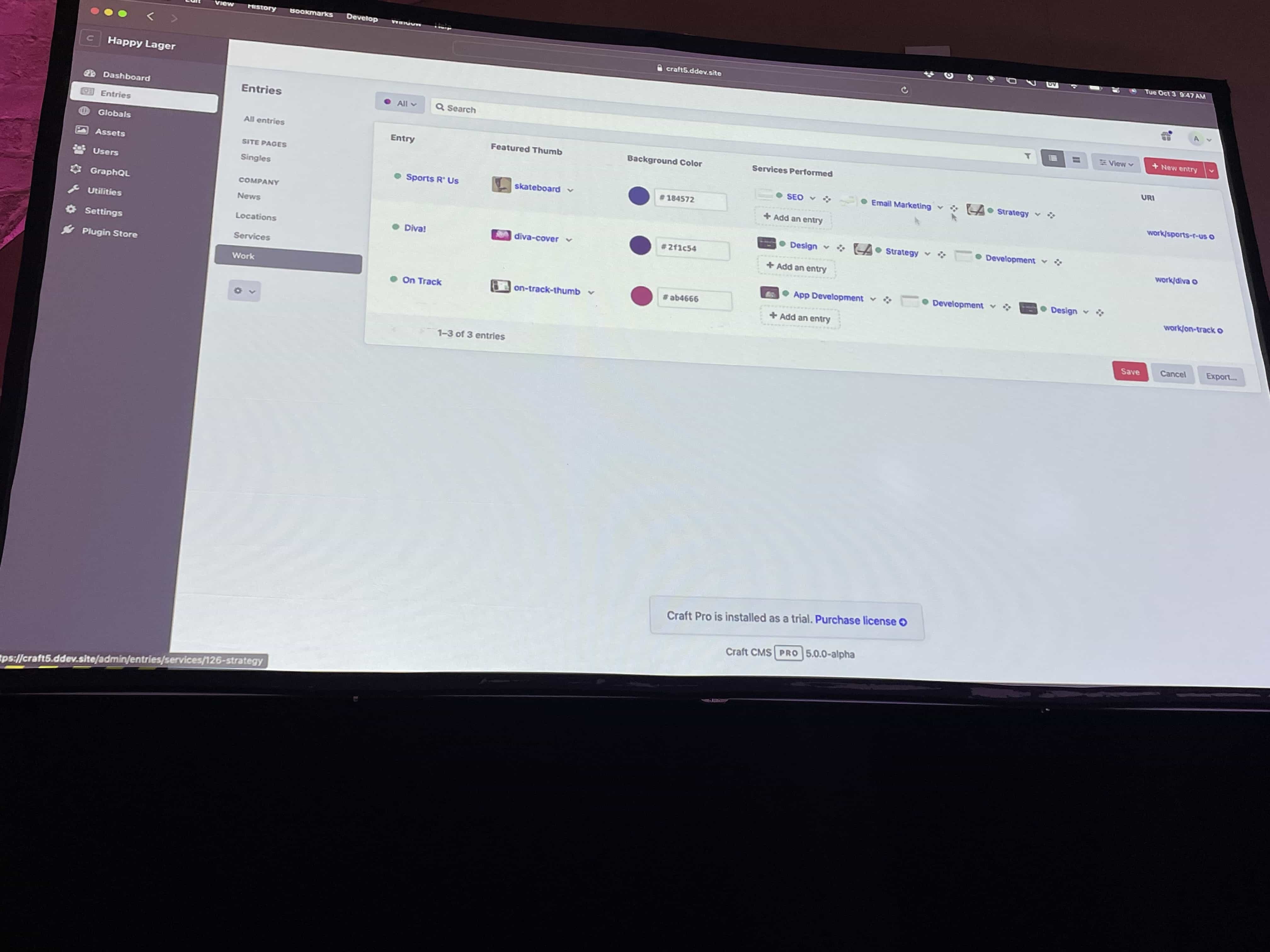
- Edit elements in the element listing view
InlineEditableFieldInterface— any field can implement to get support for this — can be customized but most simple fields shouldn’t need much work to get support.
- Content Storage
- same basic structure and database schema since 1.0
- two problems:
- row size limits on larger sites where there are too many fields
- too rigid
- No content table in Craft 5
- replacing it with the
contentcolumn in theelements_sites table; it stores JSON - why JSON?
- stored on disk like a text column, so it doesn’t affect row size
- only stores the values actually needed for each element
- JSON is flexible
- performant
- fetching the JSON values requires three different ways
- they created helper functions that make this easier
Field::getValueSQL()— get that fields specific value within the JSON columnfield.getValueSql()- really only applicable for advanced implementation where you need to look up a column name
- they created helper functions that make this easier
- replacing it with the
BaseContentRefactorMigration— any plugins that define a custom element type will need to include this class- used in a migration
- becuase of JSON usage, can now support utf8mb4 by default (allows emojis, etc)
- Field Instances (reusable fields)
- because of JSON usage, can now support Field Instances
- supported by default for field types that manage their own data storage
- field types can opt out via
isMultiInstance() - field layout can override field handles
- Fields’ JSON values are indexed by the field layout element’s UUID.
- Planned:
fields/mergecommand - Field groups removed in Craft 5
- Field Type changes
valueType()=>phpType()getContentColumnType()andhasContentColumn()=> fdbType()modifyElementsQuery()=>queryCondition()
- Decoupled Entry Types
- new Entry Types settings, no Entry setting in Section settings
- choose one or more entry types from a list assign them to the section
- they will intro a new command to clean up all of the entry types
- Entrification
- removing categories
- removing tags
- tags UI will be brought to entry fields
- Global sets => Singles
- plan was to deprecate in Craft 5 and remove in 6 — howver, they are considering removing it earlier because of the content table changes
- matrix blocks are entrified in Craft 5
- block types become entry types
- block type filds become global fields
- conflicting entry type and fild handles get renamed automatically.
- original field handles are retained with the field out
- entries are no longer required to have titles
- entries can now belong to either a section for element + field
craft\services\Sections->craft\servicesEntries— section service no longer exists; Rector takes care of this for you
- new view mode in field settings => Element Index view
- you can also inline edit in the element index view in a field
- you can also use element index view in user fields, too
- Address Field Type
- new field type in Craft 5
- More to come…
- SSO
- 2FA and passkeys
- Cross-site field copying
- translatable alt text
- Entry portability
- Content releases — Create a release and associate multiple drafts with that release. Technically simple but a UI challenge,
- Unified content view — still considering the correct approach for this
- Craft 5 dev preview available today
When will Craft 5 be released? Q1 2024
Day 2: Dual-Track Talks #
Reactive Front-ends with Sprig
by Ben Croker
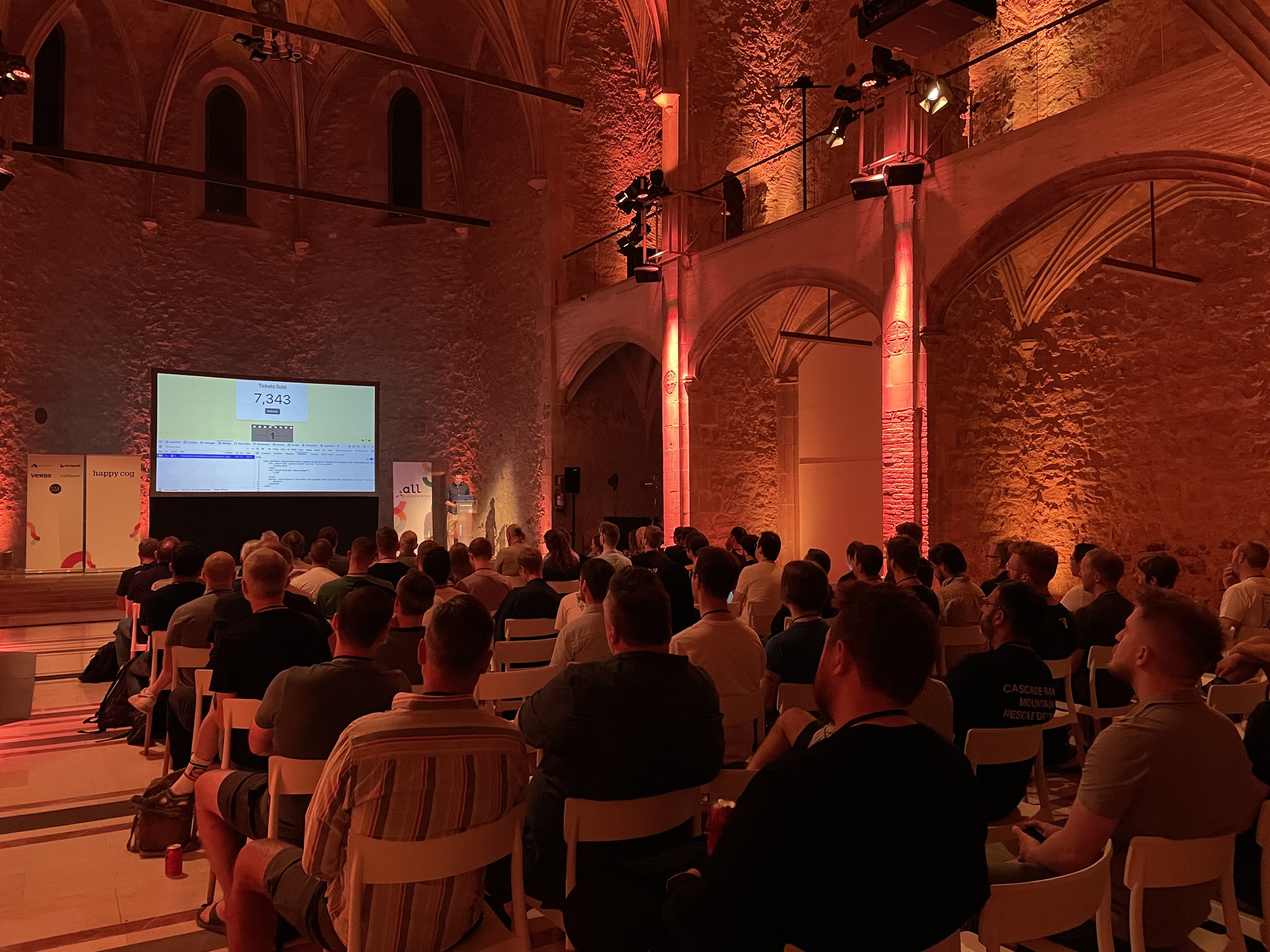
This talk has a lot of code and coding, so I won’t be able to capture everything!
- Demo of tickets selling for an event
- Ben wants to make just part of a page reactive without destroying the rest of the DOM on the page
- “sprigifying” a template — converting the template from a normal template to a Sprig/reactive template or component
- Ben walks through some examples of how Sprig can be used: multi-step form, conditional fields, faceted filters. “Very easy to get a lot of stuff done” in Sprig
- htmx — HTML Extended
- small JavaScript library
- the only dependency that Sprig has
- Listen -> Fetch -> Swap
- listening for an event, Ajax requests fetches data from server, swaps out element/content in DOM
- Ben shows Github sending HTML over the wire to swap out content in the DOM
- “What JavaScript library should I use along with Sprig?”
- Ben: don’t use anything extra
- htmx can handle this; it exposes APIs that make a lot of event handling possible
<button s-on:click="html.toggleClass('#more', 'hidden')">Show/hide</button>- what about for roundtrip to the server? Sprig really shines here
- “Let’s Build Something”
- simple component, results page with entries, navigating the pages of results
- Ben is demonstrating how to code this component using Sprig
- Component Layouts
- what Ben just showed is one component on the page but you may have multiple components on a page.
- Ben is showing a demo of a shopping cart page that is currently set as one large component. Updating the number of products, it updates the entire single component.
- That’s the easiest way to use Sprig and the way Ben recommends to get started.
- Showing an indicator to create a spinner via
s-indicator - Refresh on load
sprig.isInclude— is the Sprig component part of the initial page render<div sprig s-trigger="load"></div>
- There are reasons you want to split your components up — if you need to only update parts of a page at a time
- Listen for a refresh
- Out-of-bounds swaps
s-swap-oob="true"
- Sprig in the Wild
- release over 3 years ago
- 11k active installations according to plugin store
- Ben’s entire presentation was powered by Sprig and Craft
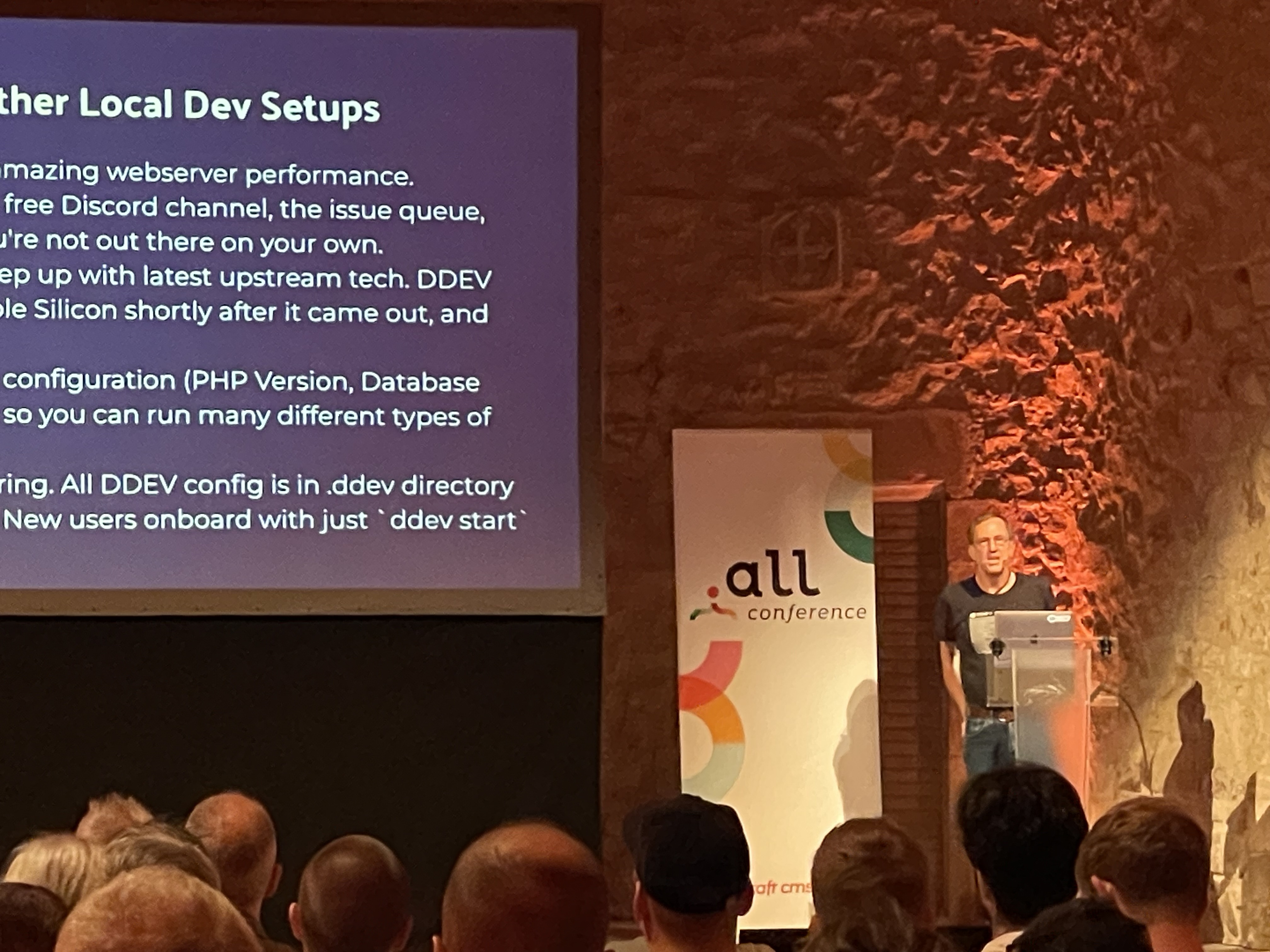
Craft CMS and DDEV Together
Randy Fay
- maintainer of DDEV for about 7 years
- DDEV motto is “Make Developers Happy”
- Agenda:
- why local development?
- DDEV and Docker basics
- Fundamnetal tasks with DDEV
- and more I missed
- Why local development?
- we need to work on our copy in the local development
- There are several ways to run Docker:
ddev export-db --file=filenameandpathhereddev snapshot— save entire full state of the databaseddev snapshot --name=demo— not a text export, but a full snapshot export of the database- a great feature for doing migrations or iterative work
ddev snapshot restore
ddev listddev describe— great way to see the services and software versions runningddev config- Check in the
.ddevdirectory so it’s shared with your team. You should version control the entire.ddev. DDEV handles gitignoring the files that don’t need version control. ddev shareshares your local project via ngrok so anyone can view it at a public URL
Practical Tips for Making Your Website Accessibility
Kaitlyn Martinez and Lupe Camacho
- 1 in 6 people have a significant disability
- becoming an accessbility is not expected overnight
Web Content Accessibility Guidelines
- WCAG
- a global standard that helps us gauge whether our content is accessible
- Success Criteria
- POUR
- perceivable
- text alt for images, captions for videos
- operable
- user can operate the interface
- understandable
- information and UI must be understandable; helpful instructions, navigation consistent
- robust
- content can be interpreted by browsers and assistant tech
- perceivable
- 3 conformance levels
- Level A — basic, meets all A criteria
- Level AA — strong, meets A and AA
- Level AAA — excellent, meets all levels
- POUR
Working with Designers
- Don’t solve problems in development that should be solved in design
- relative cost of rework gets higher the farther along you get into a project
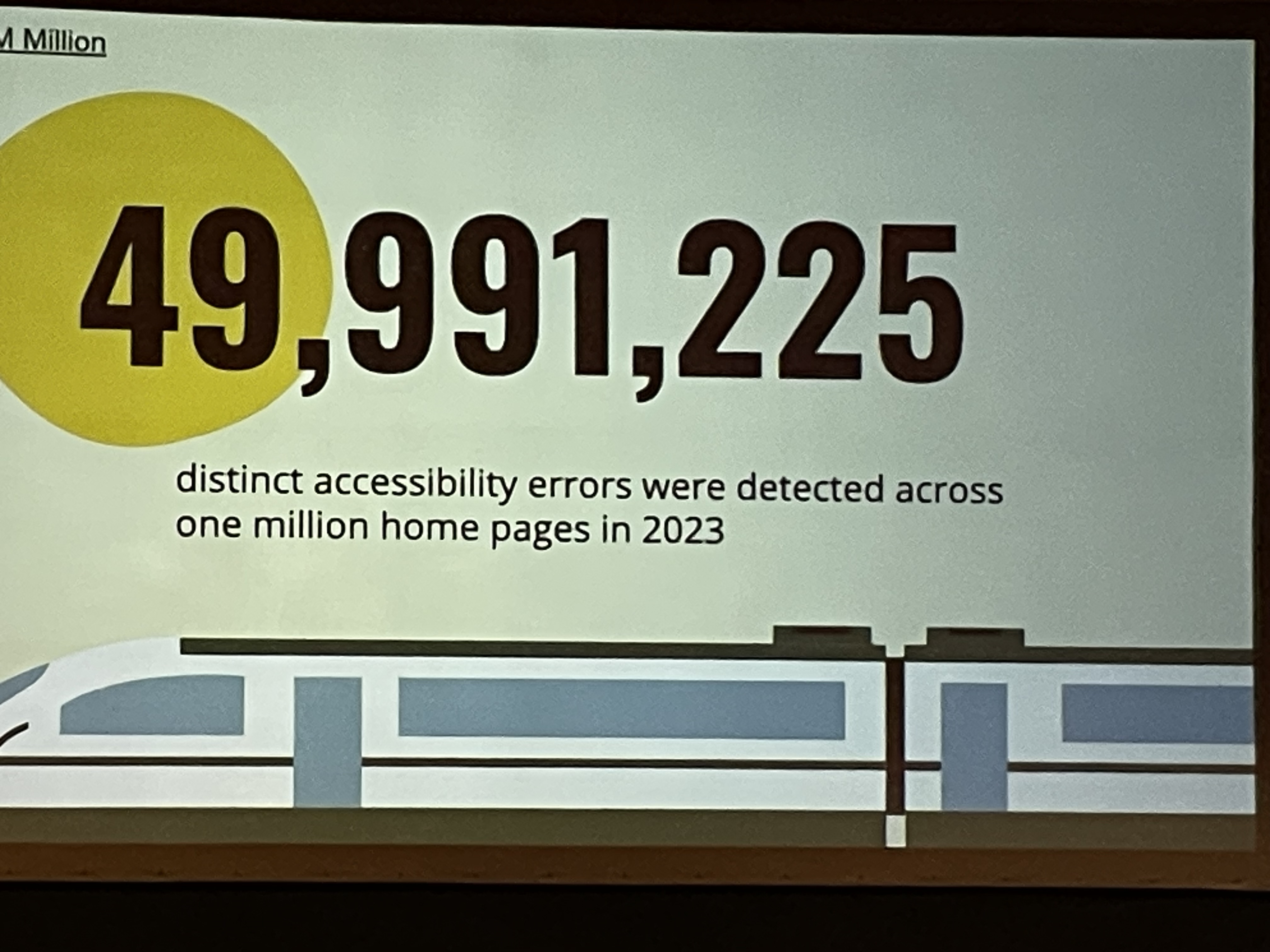
- >80% of WCAG success criteria are affected by design
- Color Contrast
- 4.5:1
- contrast ratio for paragraph text
- 3:1
- large text over 18.66px bolded or 24px normal weight
- WebAIM contrast color checker
- 4.5:1
- UI Components
- Keep track of the different states of UI components, like form fields. This should be handled in design.
- Color as an enhancement, not the only indicator.
- use pattern, shape, or text
- Example of Spotify adding a dot below the shuffle icon when it is enabled
- CMS Ux
- what we can do when building out sites in Craft CMS
- Alt text
- in Craft 4, there’s a native alternative text field in the field layout settings per field
- don’t use text in images, should be used on the page instead
- native alt text field also pulls up in the video preview modal
- Rich Text Editor set up
- very simplified toolbar to help prevent content author from creating too many accessibility issues
- Links
- show clients how to create links (i.e. not “click here”)
- Video
- Add CC to video
- add transcript via a custom field
- Document Language
- when you add a document language to your HTML element, it signals to the screenreader what language it should be speaking when it reads the doucment.
- implemented using a language attribute on the html element:
lang="en-US" - update language attribute when changing languages using a switcher for multi-lang sites
- Live Regions
- relates to loading spinners or visual status changes
- commnicates with the accessibility tree to tell the screen reader to output a message that shares what is happening on the page e.g. “Loading search results”
<span id="loading-live-region" class="sr-only" role="status"></span><span id="loading-live-region" class="sr-only" role="status">Loading</span>- this insertion of text triggers the screen reader to read this text
<span id="loading-live-region" class="sr-only" role="status">Content Loaded</span>
- Disclosure Widgets
- something that shows/hides something
- Accordions
- search icon that expands the search box
- hamburger navigation on mobile
- something that shows/hides something
- WCAG-EM
- Define scope
- Explore site
- Select a representative sample
- Evaulate a sample
- Report findings
Buy vs Build: How Craft Commerce Agencies Win an E‑commerce SaaS World
Matt Riopelle
- Pain in my SaaS => Shopify
- Boutique web shops cannot support with the resources of Shopify
- but there are some things we can extract from Shopify and other players in that space that helps us reach our customers better.
- what is Shopify doing better than what we can do in Craft Commerce?
- product-market fit
- business model
- create the most value for the people who’ll value it the most
- “Merchants don’t want custom commerce software. They want a reliable way to sell their products online.”
- “Relationships, not transactions”
- the goal isn’t to build an e‑commerce store but to help our clients build their business
- “All profit is derived from risk”
Performance, Personalization and Perfection
Zoltan Varaday
- What does it mean to be fast?
- 273ms median human reaction time
- 0.1s limit for user to feel like they’re interacting with something
- 1s limit for user feeling that they are freey lynavigating without having to unduly wait for the computer - 10s anythign slower than 10 seconds need a progress indicator as as a clearly signposted way for the user to interrupt the opeation
- Web Metrics: TTFB, CLS,
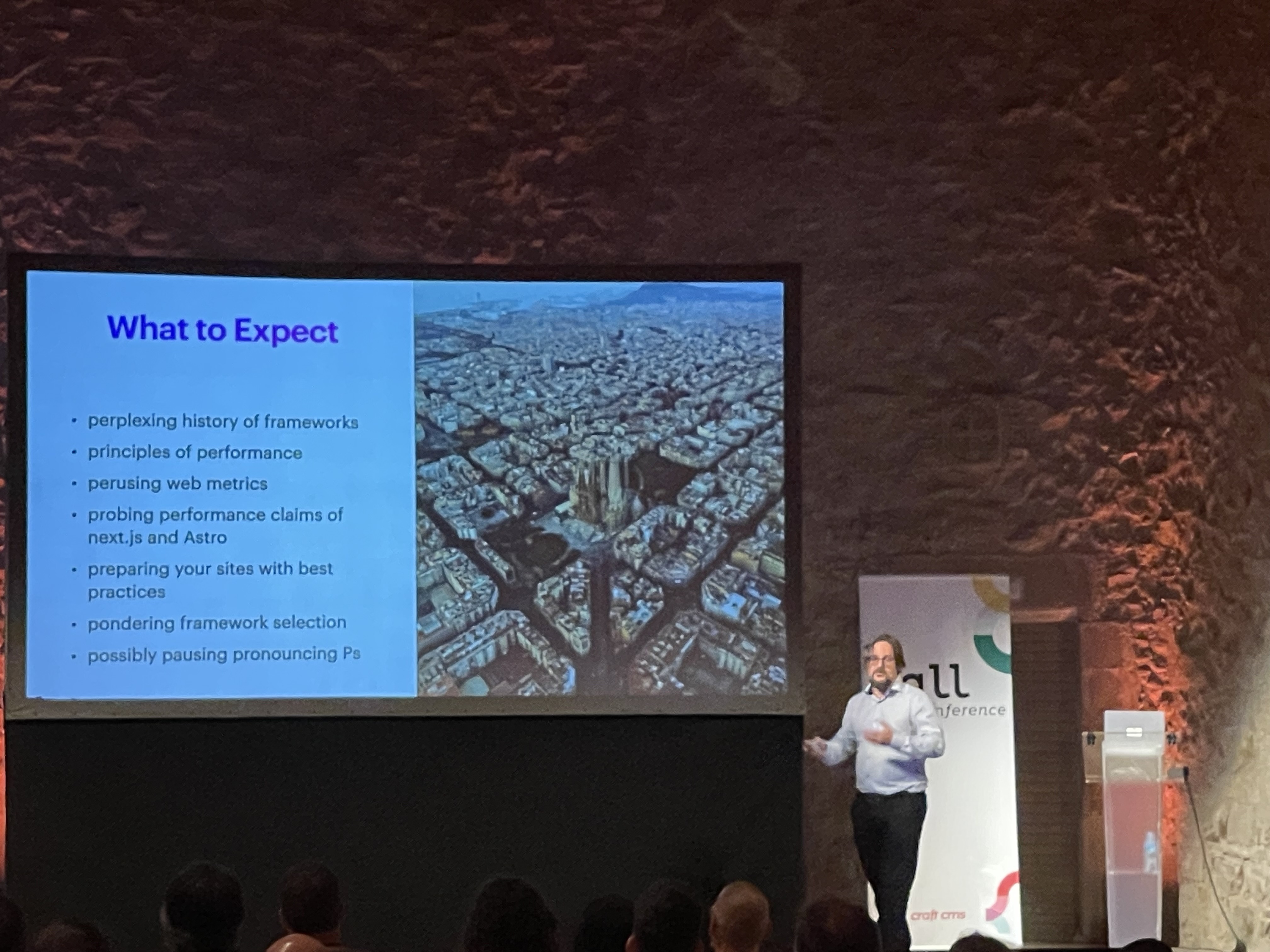
- Astro and Next.js
- Zoltan look at performance optmizations for each framework
- Web Perf plugin by NyStudio107
- Lighthouse in the Chrome developer tools
- Issue with TTFB? Look at database queries first
- For content-heavy sites use some combo of caching and interactive islands + js sprinkles to help make it dynamic
Privacy, Please
Shawna O’Neal
- Rules, regulations, latest news
- Global attitudes
- Data and tracking relevancy
- consent
- tips & tricks
- July 2020 Privacy Shield was overtuned — EU data could not be on US servers
- new privacy framework as July 2023; you can use GA without the US data storage problem
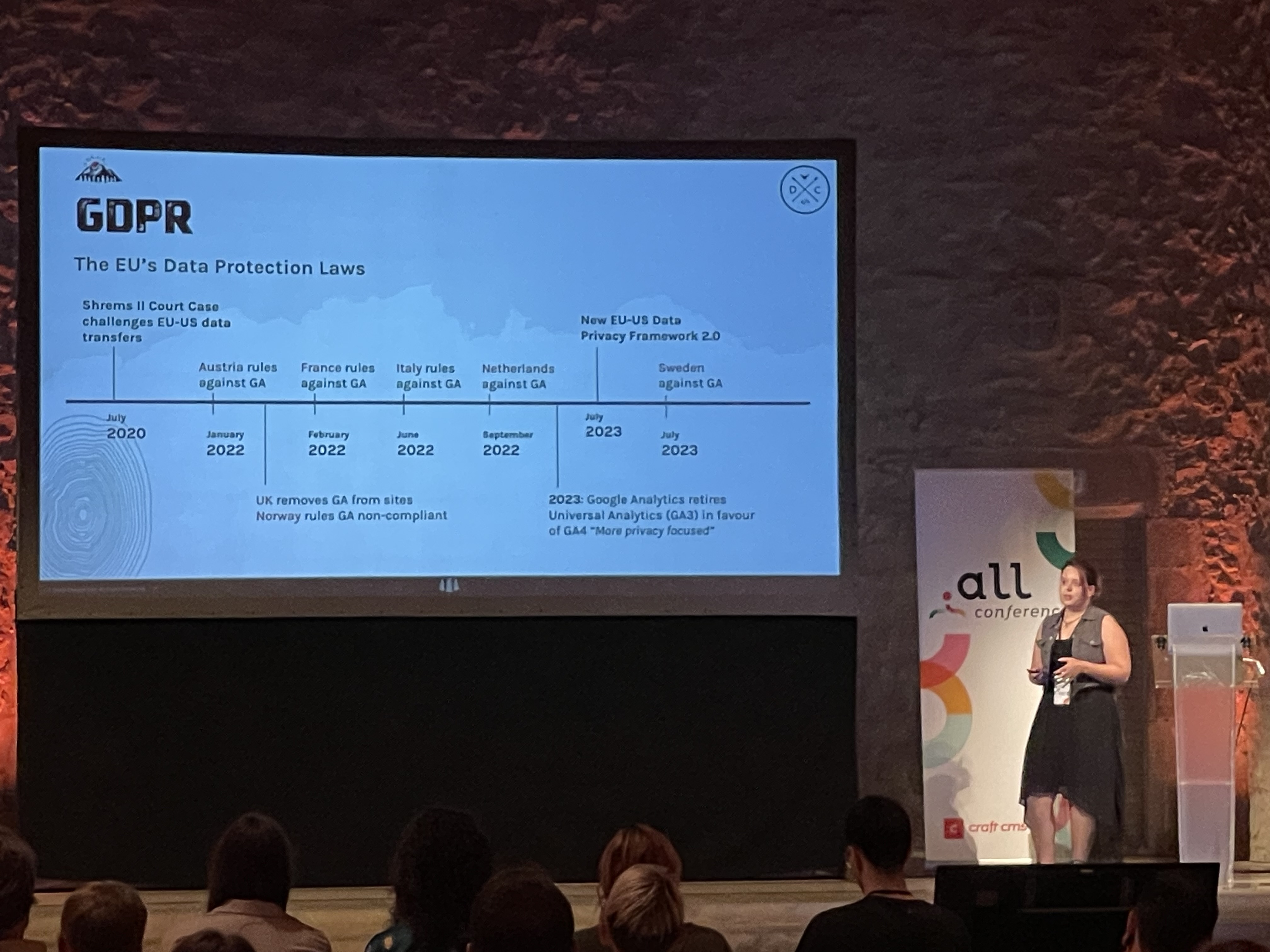
- Is GA4 GDPR compliant?
- It depends… you need to do some additional steps
- make sure GA fires scripts only after the user’s consent
- keep non-compliant features turned off
- Enter a data processing agreement with Google, and disclose within a privacy policy
- Do not send PII through Google
- It depends… you need to do some additional steps
- GDPR fines are applied to the “undertakings” and not one company. Any entity involved in the violation is part of the undertaking.
- Is it worth the cost to get the data?
- don’t collect more data and figure out how to use it later — it can cause brand damage
- Tracking scripts are the leading cause of website slowness
- Products like GTM put developers and marketers at odds
- Marketing “success” can overly focus on data points, not results
- Once consumer trust is lost, it’s nearly impossible to get back
- Consent
- silence is not content — x’ing out of a cookie consent banner does not mean consent, it’s a non-action. Only track data when you get actual resent
- minimize the data requested
- context matters — don’t ask a new visitor for a bunch of data right off the bat
- be transparent and human centric in how we request it
- treat user data with care and respect
- reward quality of data, not quantity
- build client relationships
- “If you wouldn’t ask on the first date, don’t ask the new website visitor”
- Google Analytics alts that are GDPR compliant:
- Fathom
- Mouseflow
- Plausible
- Matomo
- PostHog
- Umami
Day 3: Single-Track Talks #
State of Craft
Brandon Kelly
- Recap:
- This year P&T celebrated 10 years since Craft 1.0.
- Craft has 75k licensed unique domain names (not including subdomains)
- 8k people in Discord
- 645 Craft 4 plugins in the store, up from 511 one year ago
- $7M paid out to plugin developers
- Sales steadily upward trend
- Craft Console launched (update to Craft ID)
- Craft Generator — CLI tool for scaffolding plugins, modules and components
- Updated CKEditor
- Shopify plugin launched
- commerce-stripe updated for latest Stripe integrations, Commerce 4.0.0
- Craft 4.3, 4.4, 4.5
- asset volume navigation
- activity monitoring
- validation summaries
- working toward WCAG AA compliance — “We will get there”
- Craft Cloud
- it has been almost six years since they started thinking about Craft Cloud
- exciting news
- Brad Bell on the stage
- “A scale hosting platform from the team behind Craft”
- Why are we doing this?
- Gives them a chance to control the user experience from the application all the way to the infrastructure.
- No more vendor blaming because they control they entire stack — software and infra
- Sustainability
- P&T wants to try their best to not have a negative impact on the environment
- Serverless, on-demand infrastructure
- Craft Cloud demo
- Github source control integration
- US, EU, APAC regions
- Brad created a new project in Cloud and is deploying it
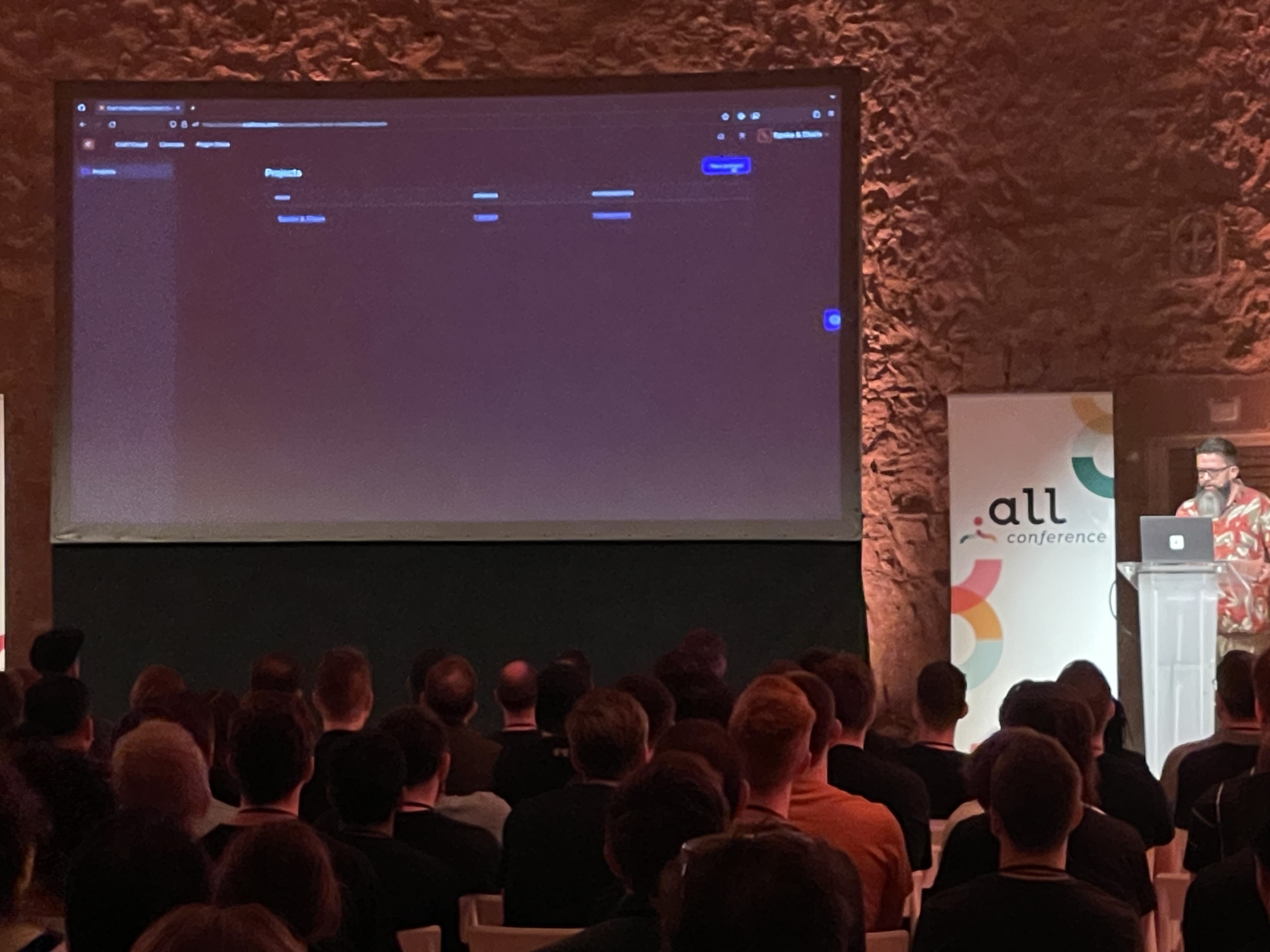
- auto-scalable, highly available infra
- global CDN, powered by Cloudflare
- MySQL, Postgres
- CICD build pipeline
- Automated backups
- Enterprise-grade WAF
- Auto SSL
- Craft CLI commands
- multiple environments
- on-deman queue workers
- on-deman image transforms
- fully supported
- Craft Pro license included
- $260/mo USD
- annual: $240/mo if annual
- private invites at the end of this month
- Read more about Craft Cloud
- lunch n learn today with Jason and Tim to talk about plugins with Craft Cloud
- Commerce 5
- A major focus for Commerce 5 has been multi-store, multi-currency support — the most requested feature they’ve had
- multi-store
- each store gets its own base currency
- in the commerce settings you’ll be able to add an additional store
- Catalog pricing
- generated and stored prices in the system
- Catalog pricing rules: similar to Sales systems that exists in Commerce at the moment
- promotion price field — no need to create a discount
- they updated the Spoke & Chain demo to use Commerce 5 to demo the multi-store functionality
- launching Q1 2024
- Craft CMS 5
- Craft has always been about AX and content modeling
- content modeling improvements
- content storage refactor (see my notes from the Craft 5 workshop)
- content column replaces the content table
- decoupled entry types (stand alone now)
- Entrification
- inception fields
- Field instances
- reusable fields within the Craft control panel
- Entrifications in Craft 5
- Categories => structure
- Tags => channel section
- Global sets => singles
- Matrix blocks => entries
- Inception Fields
- no longer needed inception field as planned
- matrix field as entry solves this, along with View Mode toggle
- enable table view for matrix fields
- inline editing in every element index in Craft 5
- content storage refactor (see my notes from the Craft 5 workshop)
- One more thing…
- Longform content
- used to be done with matrix fields
- but the authoring experience wasn’t as good as it could be
- it’s important to them that they solve this AX challenge
- some solutions out there that are “Notion”-ish
- every element is a block
- but authors want rich text, not clean data behind the scenes
- they want something that looks like CKEditor
- combine power of Matrix & nested entries with the simpler UI of CKEditor
- Craft 5 will include a large update to CKEditor
- CKEditor field that has entire entries embedded in it
- Longform content
Humanizing UX
Lakeisha Wright
- using 10 years in urban planning to approach UX strategy
- it was a seamless experience moving from one field to another
- She still keeps up with her two urban planning certs because they help her be a better UX strategist
- What does humaizing your UX strategy really mean?
- Diversity matter, emotions matter, person’s past, present, and future matters
- What’s the difference between humans users?
- humans are complex
- users are within the product — human complexity adapts to fulfill the product’s requirements
- curb cuts as an example of adapting a product to fit the individual using it
- human are permanent
- users are temporal; once you’re a user, you stop being a user of a product (e.g. putting your phone down); the person being flexible to the device
- “Humans allow for the pursuit of equity”
- “Users allow for the for pursuit equality”
- “Humans have emotions that affect product use”
- people bring their own emotions and emotional responses
- “Users have emotions tied to the product”
- one of her job as an urban planner was to watch people ride trains.
- she started to pick up on patterns on how people acted, including misconceptions
- when people missed their train…what did they did do? they weren’t on their phones..it was always people who were deep in thought/daydreaming, not on their phones
- Why is UX stategy important?
- empathy
- inclusivity
- engagement
- “For me” mentality
- ultimate goal when it comes to UX
- people should think “this is built for me”
- 7 Principles of Universal Design (example from urban planning/design)
- equitable use
- flexibility in use
- simple and intuitive in use
- perceptible information
- tolerance for error
- low physical effort
- size and space for appoach and use
- 10 Usability Heuristics for User Interface Design (UX version of 7 principles)
- Use the power of emotions
- PS Salon — serve seniors with retirement communities
- Happy Cog was redesigning the dashboard familiies used to enroll, etc.
- how do the people when they’re about to use your product? some info
- how are people feelign when they are starting to use your dashboard? more info
- how are peopel feeling before they even knew this PS Salon was an option? a lot of info
- instead of asking how are they feeling when using the software, instead ask how they feel about the whole experience.
- emotions mattered
- No one is unbiased
- lean into the bias, embrace your personal experiences
- lean in with understanding
- be self aware
- practice humility
- challenge your assumptions
- seek diverse perspectives
- Working with the overwhelming nature of diversity
- understand your audience
- create customizable options
- communcate clearly
- gather continous feedback
- Context Matters
- prioritize actions
- continuous improvements
- have informed tradeoffs
- Ask Questions
- especially the “dumb” ones
- obvious questions
- she asks the obvious questions to make sure she’s not making assumptions
- Impact and Accountability
Lightning Talks
- Matt Bloomfield
- US Chamber of Commerce
- multiple sites, similar builds
- component driven development
- Component library requirements
- run in PHP using Twig
- means of viewing and testing components
- well organized
- they tried to use Fractal but they had problems with TwigJS
- they built their own component viewer
- end users see all components available
- developer see impementation details
- cypress tests against components
- austom acceesibility via AXE
- visually compare changes across environments
- John Ripmeester
- Brik agency
- Nomios
- 8 sites, multiple languages
- marketing teams across world
- 105,000 elements per language
- Plugins: Blitz, SEOmatic, Rich Variables, Site Copy X
- saving an element kicks off a lot of queue jobs, and they hit a job queue of over 46k jobs
- Egil Fujikawa Nes
- Enterprise Craft Powered by SAP
Pixel & Tonic Q&A
I was moderating the panel discussion, so I couldn’t take notes.
Planet Saving Pixels: Creating a Web That is Good for People and the Planet
Lucy Williams
Sustainable web design is an approach to designing web services that are good for people and the planet.
If the internet was a country, it would be the 4th most polluting country in the world.
- how do we measure the impact?
- page weight, data transder, server requests
- page views, time on a page
- energy cosumed to run the servers
- The Original Website Carbon calculator
- Beacon and Ecograder are other options
- streamline user journeys
- don’t load as much content unless it’s really necessary (related articles, sidebar content, etc)
- optimize web typography
- use system fonts, if possible
- use fewer weights
- customize those fons weights
- convert WOFF — much faster
- remove unneccesary languages
- only use subset of characters that are actually needed by the site
- self host font files
- dark colous use less energy
- blue colors use more energy than red or green
- reducing color variation in imagery reduces file size
- optimize media
- only send down the pipe the larest size needed
- optimize page size
- Green Web Foundation — find green hosting
How I Saved My Agency From Myself
Stephen Callender
- Profit First Method
- Self-reporting for developers